Know what to trade next.
A checked list of setups every day: each one PASS or FAIL against one written, 6-step rulebook. Watch them first, then automate the ones you trust on your own brokerage account.
Six steps. In order. Every trade.
The methodology behind every setup we score - watch the full walkthrough.
3 min . no account required
Not technical? We built this for you.
You don't need to know Pine, code, or JSON. If you can log into a broker, you can run Trding.ai. Two things make it possible.
Step-by-step Library
Start at trding.ai/library. Watch first: alerts on your phone in about 15 minutes. Automate when you're ready, with a checkpoint at every step.
AI chatbot & Library
Ask any setup question in the bottom-right chat. Every answer points you to the right Library page. 24/7 · self-serve.
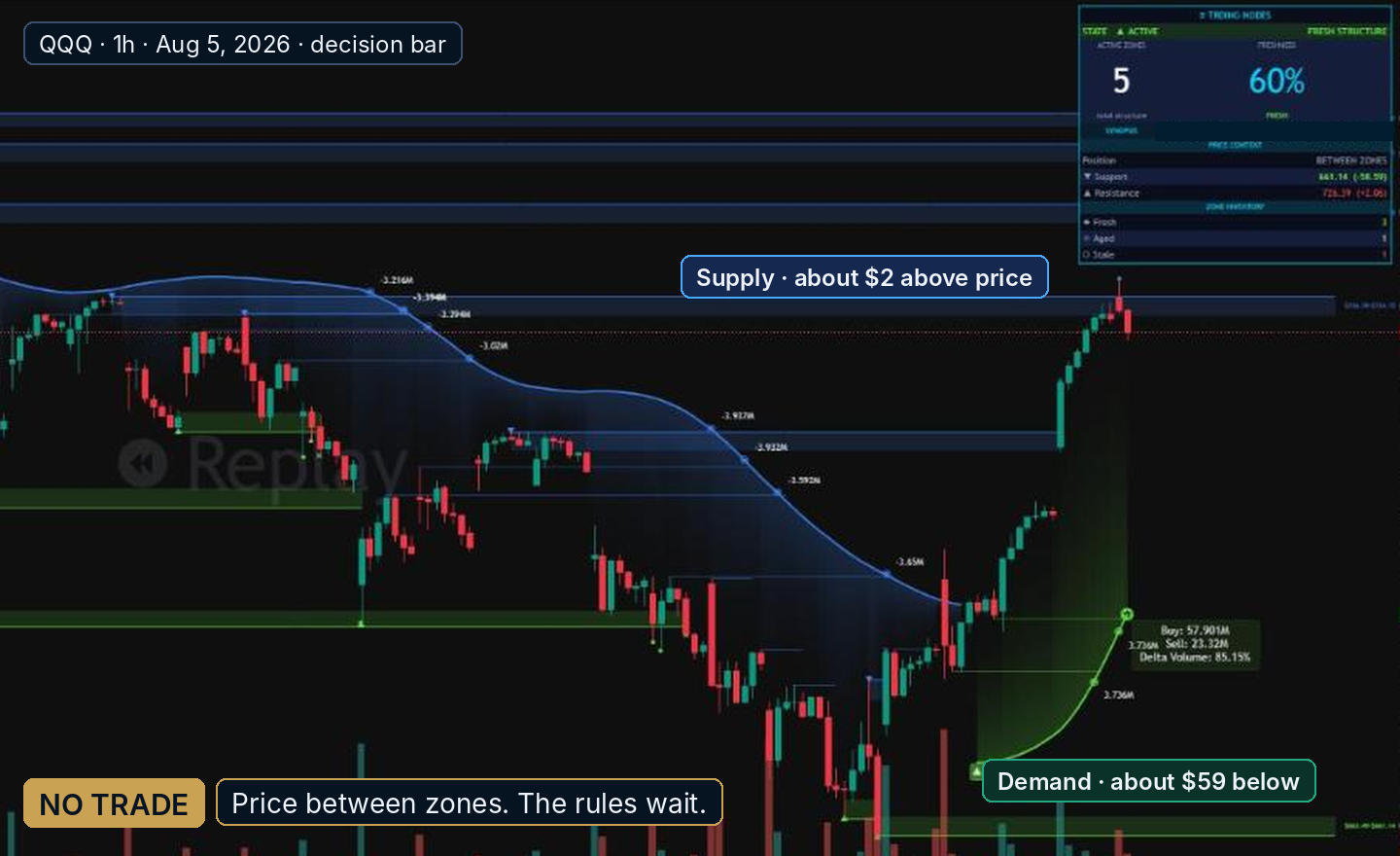
Even a ‘no’ is an answer.
Every setup on the chart is checked against the same written rulebook. Even when the reading is strong, the rules wait for the right entry. On this QQQ chart the trend leaned bullish, but price was between zones, not at one. Trding.ai stayed flat and told you exactly why.
Because a method worth trusting shows you the trades it didn't take.
Read the market. Get the signal. See it everywhere.
Six indicators work together — Frame and Momentum set the context, Nodes and Score check the setup, Screener scans your whole watchlist, and Trding Fire marks the entry, stop and targets — with optional automation on your own brokerage account for Ultimate members.
Read the market
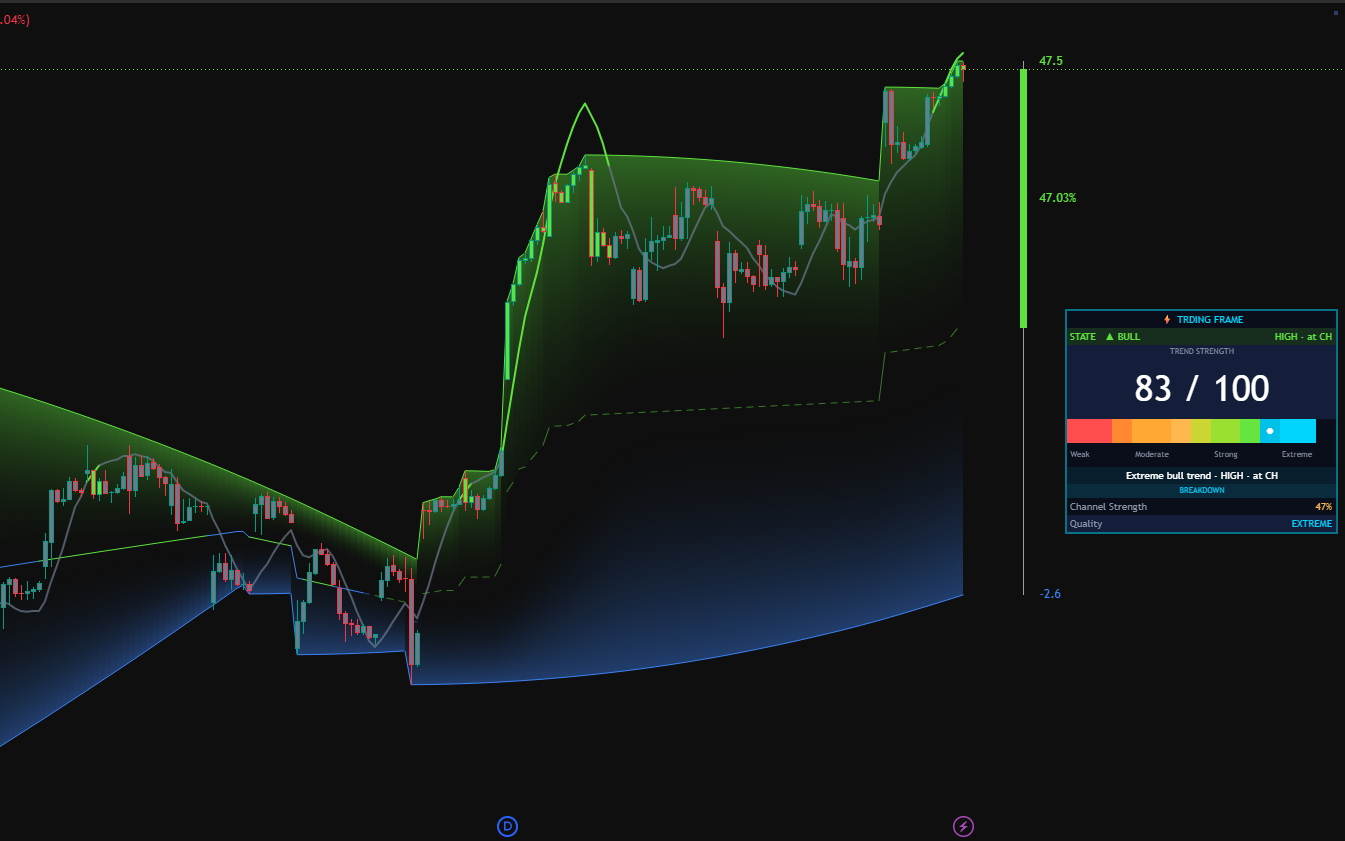
Trding Frame
Marks structural zones on your chart — the strength, freshness, and time-quality of every level.
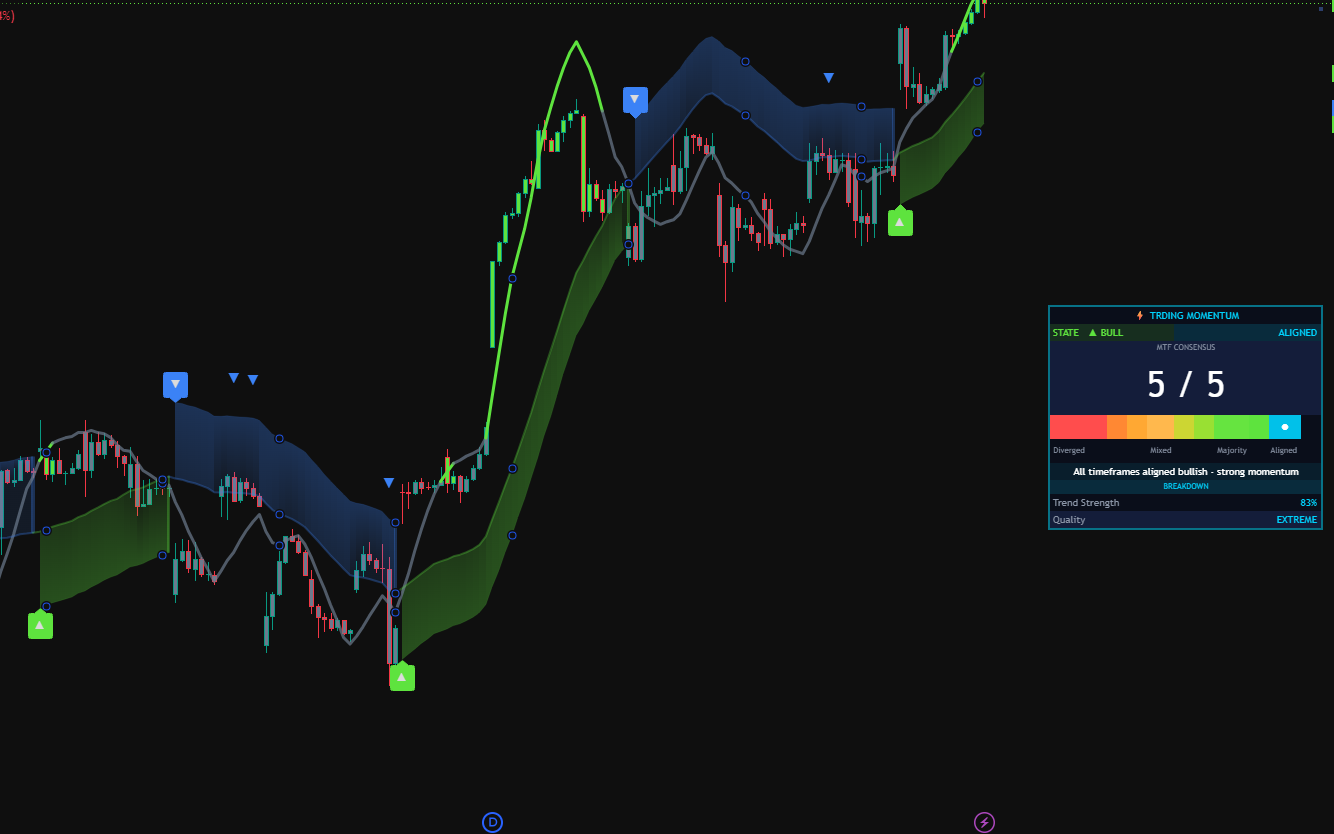
Trding Momentum
Reads the underlying trend curve so you know if the market is leaning long, short, or coiling.
Get the signal
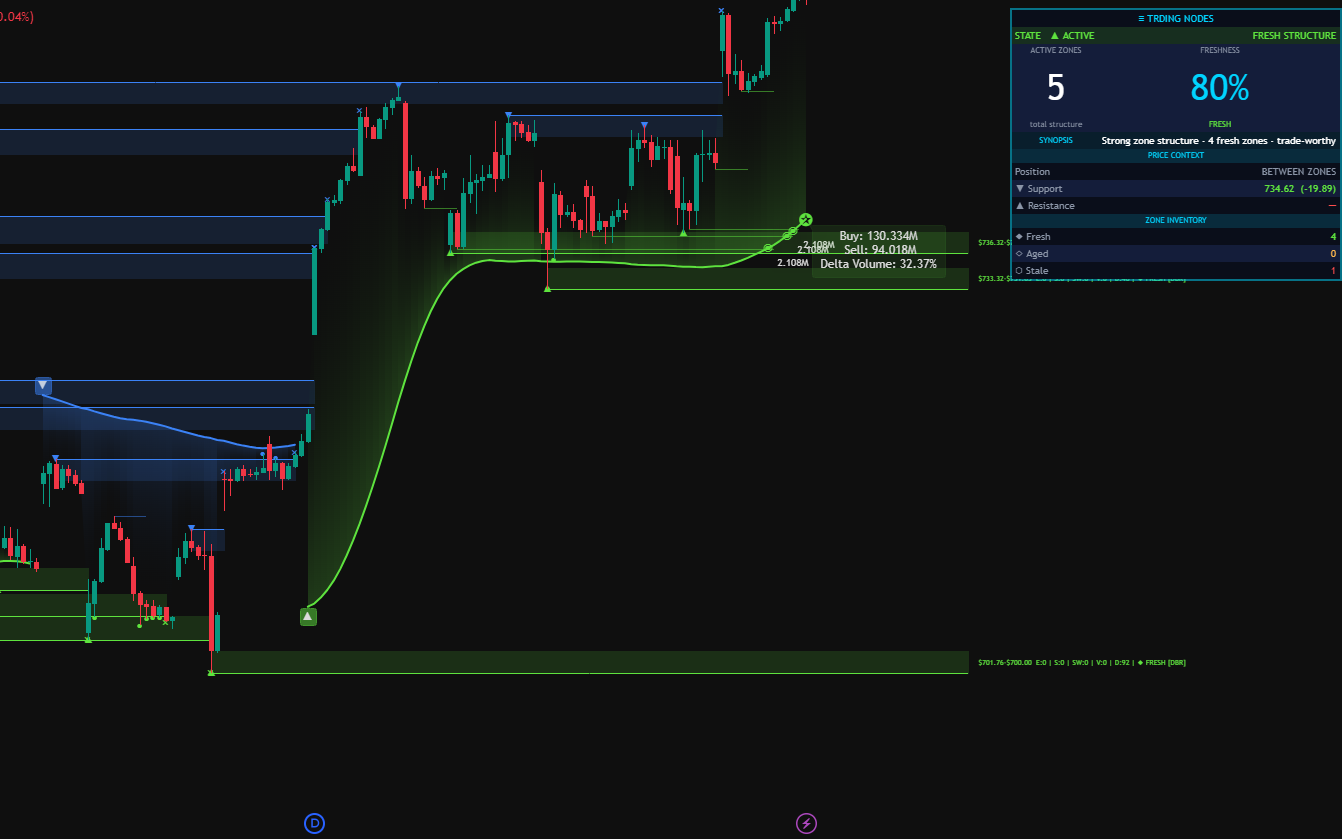
Trding Nodes
Pinpoints the exact bar where every setup rule aligns. This is the moment the market gives you the shot.
Trding Score (Signal Layer)
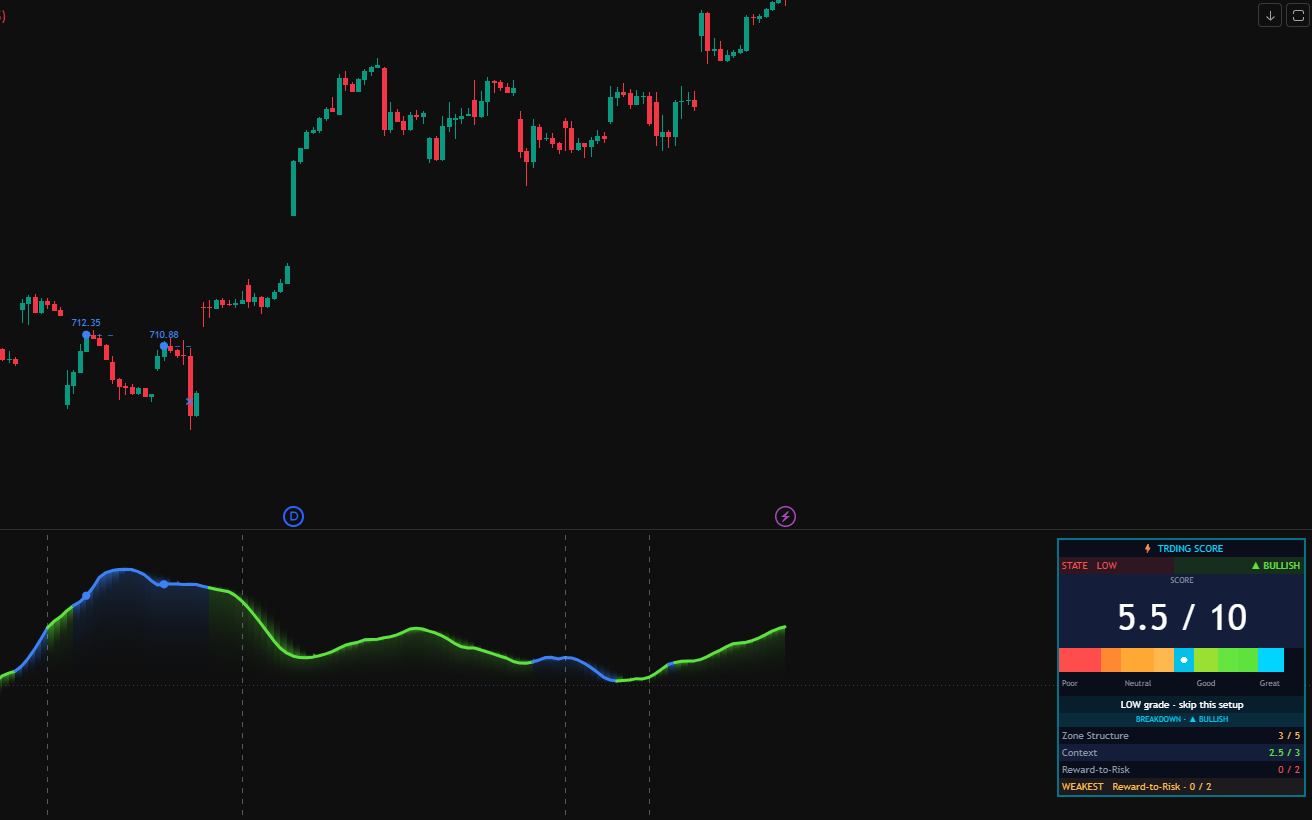
Shows how strongly the setup lines up, as an oscillator wave, and whether it passes the rulebook check. Signals + Pro subscribers see the setup and place the trade manually.
Trding Fire (Trade Layer)
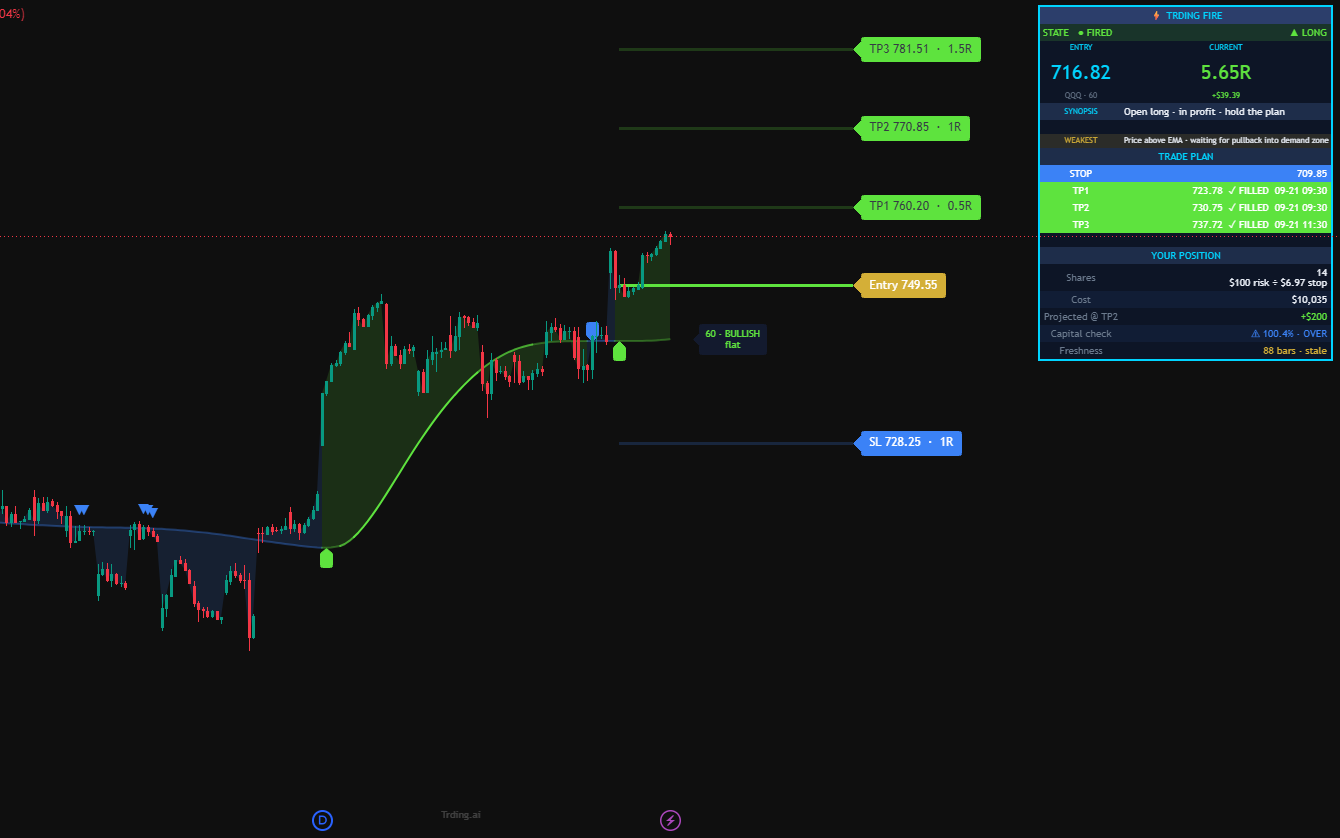
Checks every closed candle and fires a signal when the setup passes — entry, stop and targets already set. Ultimate tier: automation runs through your own TradersPost account when you turn it on.
See multiple tickers
Trding Screener
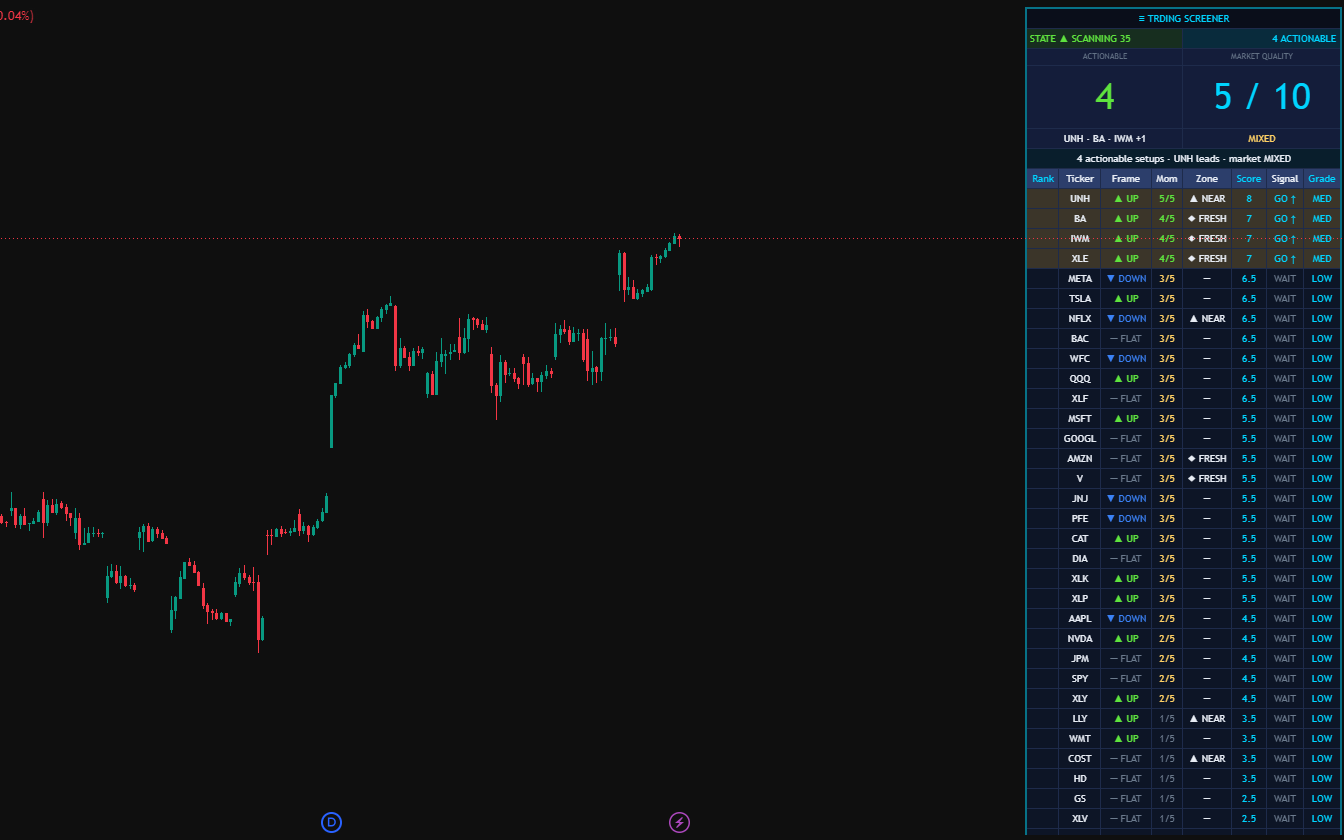
Watchlist heat-map with a live score per ticker. Find the strongest setup across your watchlist in one glance.
One reading pattern.
Six indicators. Zero guesswork.
Every Trding dashboard follows the same four-block pattern. Learn to read one, you can read all — because the methodology is baked right into the layout.
Pay for the layer you want.
Two layers. Signal Layer shows you the setup — you place the trade. Trade Layer adds Trding Fire, so you can automate the trades you’d take anyway on your own brokerage through TradersPost, paper first — you keep broker keys, you own every trade.
See every setup arrive on your own chart. You place the trade yourself.
- 4 indicators: Frame · Momentum · Nodes · Score
- Every setup checked against one written, 6-step rulebook
- Signal alerts
- Library access
Signals + multi-ticker Screener. For active discretionary traders watching a whole watchlist.
- Everything in Signals
- Trding Screener (multi-ticker heat-map)
- The Edge, our weekly newsletter
- Pro member updates
Adds Trding Fire, which turns a passing setup into a plan. Automate the trades you’d take anyway, on your own brokerage (paper first).
- Everything in Pro plus Trding Fire (optional automation)
- Trding Fire (executable · Trade Layer only)
- TradersPost-compatible · see the Automation Path
- Broker-neutral · Alpaca · TradeStation · Tradier · Robinhood · Tradovate · E*Trade (IBKR in beta)
All plans cancel anytime. Annual plans are billed once a year and include the same 14-day free trial.
Trade futures? Here's the stack.
All six indicators adapted for futures contracts. Separate product line, separate pricing, same Trding methodology.
All six indicators adapted for futures contracts (ES, NQ, YM, RTY, CL, GC, etc.). You read the setup, you place the trade with your futures broker.
- Trding Fire Futures · Frame Futures · Momentum Futures
- Trding Nodes Futures · Score Futures · Screener Futures
- The same 6-step rulebook, tuned for futures
- Futures updates (new)
Everything in Trding Futures, plus automation on your own futures broker through TradersPost. Futures automation isn't available yet. We'll announce it when it is.
- Everything in Trding Futures (all 6 indicators)
- Automated futures orders via TradersPost (coming soon)
- Runs on your own futures broker account
Already trade stocks with us? Trding Futures is a separate subscription. The Monthly / Annual switch above applies here too.
From chart to trade, in three steps
Every plan gets steps 1 and 2. Ultimate members can add step 3 when they’re ready — on their own brokerage account.
+ Step 3 · Ultimate
Results we can stand behind, and how we get them.
Every result we publish is held to the same standard.
Get The Edge.
A free weekly email on reading setups the Trding way — one real chart walked through step by step, one method lesson, and what’s new in the indicators and Library. Educational only. Unsubscribe any time.
- One chart read step by step, with its rulebook check
- Methodology deep-dives, in plain English
- New indicator and Library updates
- Watch first, automate when ready — tips for both